Drupal 是一套開放源碼的內容管理平台,擁有多種實用的功能,可以用來建置從個人網誌到大型網路社群等各種類型的網站,例如華納唱片、紐約觀察報、Fast Company、Popular Science、SonyBMG、富比士、哈佛大學等網站,或是個人部落格(Tim Berners-Lee)、播客網站(TWIT.tv)、線上社群(SpreadFireFox.com)。
昨晚裝了drupal 5 和 ubercart 來試試
根據ubercart官方 installation guide, drupal 所需要的模組到安裝好了並enable了.
加了好幾個category, 再加了一個product,
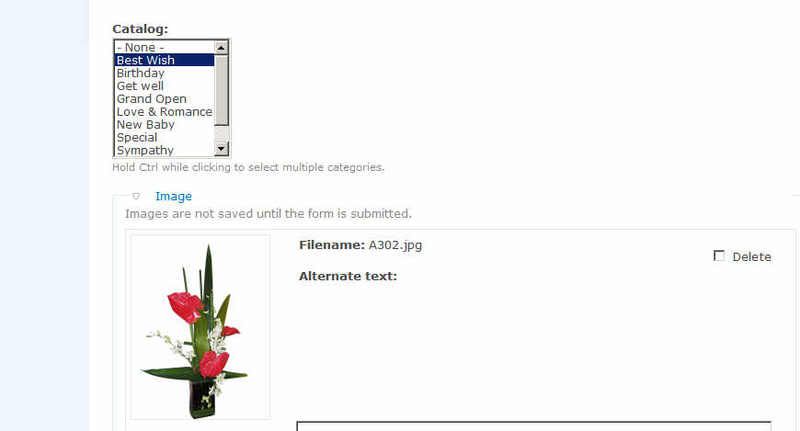
在product edit 時,看到image 的
但在正在瀏覽就看不到image
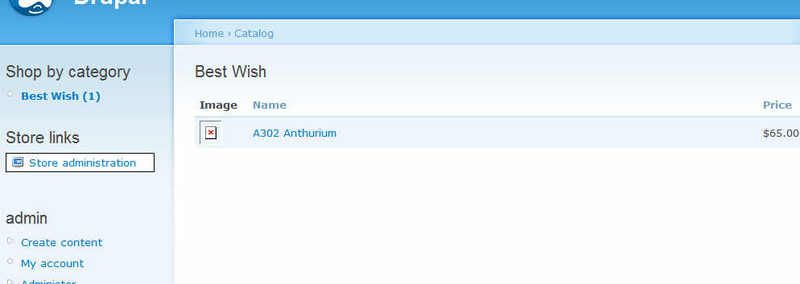
嘗試看一下兩者的image url 有什麼不同
Re: drupal + ubercart 問題 - product image 顯示不到
在官方ubercart 論壇問過得到的答安是
That was the easy fix... beyond that, I'm not sure. It could be any number of issues related to your web server setup, Drupal configuration, module setup, etc. A clean install of Ubercart per the installation docs shouldn't have image troubles, though.
If you can't resolve it, you might try looking for help in IRC on #drupal-ubercart.
即等於沒答.
我的環境是
windows xp sp2
WAMP 2.0 (windows apache mysql php all-in-one package)
Re: drupal + ubercart 問題 - product image 顯示不到
解決了!!!
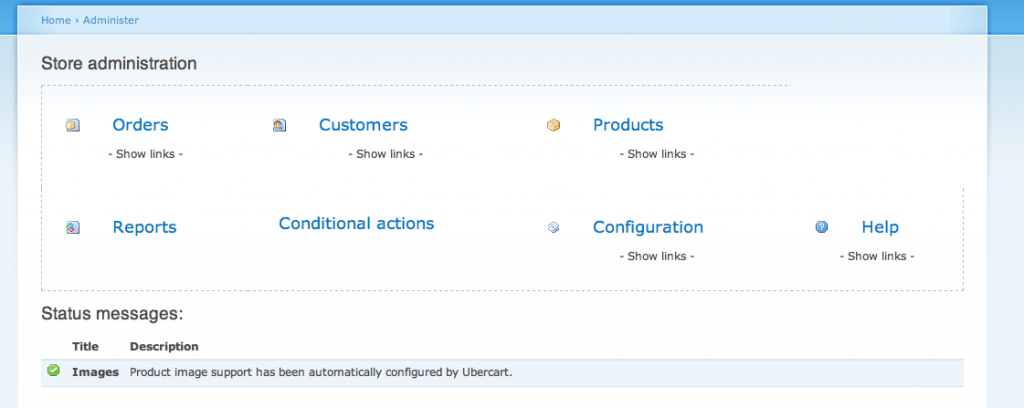
在store administration 有個status message 是關於images 的.
Re: drupal + ubercart 問題 - product image 顯示不到
我怎么在store administration 中找不到status message呢,需要开启哪个模块啊?请指点一下!
Re: drupal + ubercart 問題 - product image 顯示不到
管理 > store administration
點選 store administration 這個選單而不是他下面的子選單
會出現一個上下兩欄的頁面
上欄是 store administration 選單
下欄就是 Status messages 的列表
Re:
Ubercart 安裝時需要額外下載的模組
基本安裝所需模組
商品圖片相關模組
Re: drupal + ubercart 問題 - product image 顯示不到
Thickbox是另外下的一个模块吗?是必须的吗?它有什么作用啊?
Re: drupal + ubercart 問題 - product image 顯示不到
Ubercart 安裝時需要額外下載的模組
基本安裝所需模組
* Tables API (TAPIr)
* uBrowser
* Token
* Workflow-ng (只需要啟用 Workflow-NG 和 Workflow-NG UI 模組)
商品圖片相關模組
* Content Construction Kit (CCK) (只需要啟用 content 模組)
* Image Field
* Imagecache
* Thickbox
第一行應該寫的很清楚了 這些都不是 Ubercart 的壓縮檔裡面會附的模組
你必須自己去找到該模組 下載並安裝
差別只在
商品圖片相關的四個模組全部安裝好之後
在 Status messages 裡 和 image 有關的訊息
會包含一個幫你自動設定圖片顯示功能的連結
按下該連結後就會將相關設定調整好 不需要一個一個模組的設定作調整
至於是否必須
其實不用這四個模組 用其他類似功能的模組
應該也是可以達到讓商品顯示圖片的功能
只是 Ubercart 沒辦法針對不是他預設搭配的模組自動調整而已
因為只是拿來搭配 Ubercart 使用的模組
我並沒有個別去研究他們的功能
有興趣的話可以去找 Thickbox 模組相關的說明
Re: drupal + ubercart 問題 - product image 顯示不到
你好~ 我也是遇到相同的問題,我是使用drupal 6
在Products View的時候
image的url是被設定成:http://localhost/sites/default/files/imagecache/product_full/cat_lomo_s…
但是實際image的位置是在:http://localhost/sites/default/files/cat_lomo_small.jpg
似乎是在upload image的時候,image就被放在 "sites/default/files/"下面,而不是在 "sites/default/files/imagecache/product_full/"
然後我有試過去store administration,也有找到Status message,但是似乎沒有看到什麼設定的連結?
不知道我的問題是出在哪裡>.<
謝謝
圖如下: